


Photo Lab Picture Editor & Art
4.5103.22K Reviews
App Specs
- Version
- 3.13.115
- Updated On
- License
- Free
- Downloads
- 100,000,000+
- Developer
- PHOTO LAB DMCC
- Categories
- Photography
- Platform
- Android
Screenshots
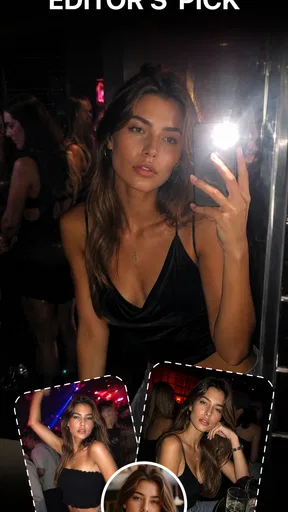
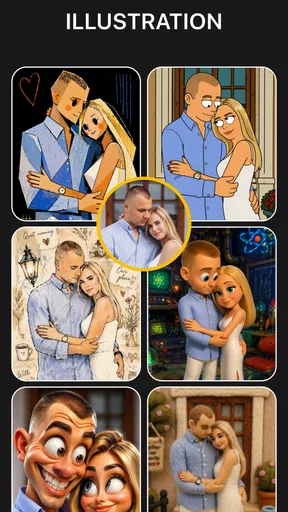
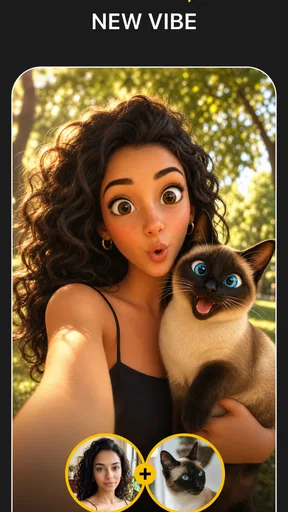
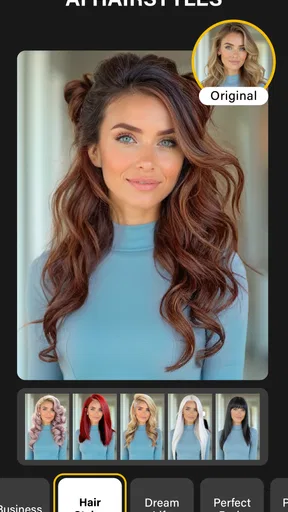
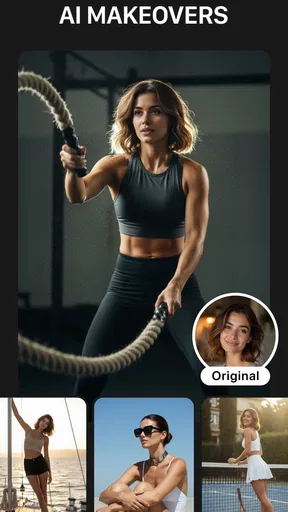
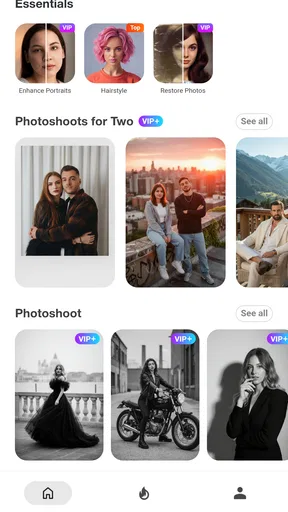
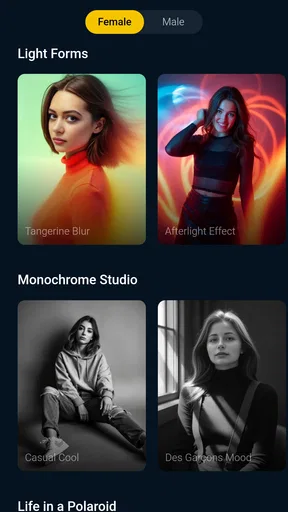
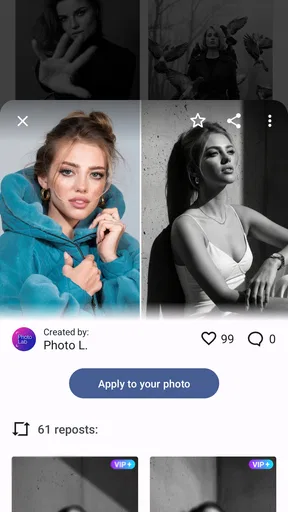
 Analysis by AppCompare
When a photo effect does not appear to work, I start with the image rather than assuming the editor is broken. A filter built around a face, for example, may give a different result on a group shot, a side profile, or a dim selfie than it does on a clear, front-facing portrait. With a creative editor such as Photo Lab Picture Editor & Art, the source image is part of the result: a small change in lighting, crop, or subject placement can make an effect feel much more convincing.
I also find it helps to treat each effect as a starting point, not a guaranteed one-tap makeover. Some styles are deliberately playful and look best when the subject is easy to recognize; others can overwhelm a busy background. Before deciding that a particular filter is a poor fit, I try it on a second photo with simpler lighting and fewer distractions. That quick comparison often tells me whether the issue is the effect itself or the image I chose.
Why a result may look different from what you expected
The app’s appeal is its range of stylized transformations, including cartoon looks and AI-based treatments, but those are not the same as a careful, natural-looking correction. If my goal is to brighten a dim picture or make a subtle color adjustment, a conventional editor with precise controls is usually a better match. If I want a portrait to look illustrated or a snapshot to feel more like a piece of pop art, this is the kind of tool I reach for instead.
That difference matters when choosing a photo. A sharp portrait with the face unobstructed is a sensible first test for a character-style treatment. For a landscape, I would choose an effect that suits the whole scene rather than one designed to isolate a person. Starting with a copy of the original also gives me room to compare versions without losing the untouched image.
A few checks before you start editing
Photo Lab is a photography app from PHOTO LAB DMCC, and it is free to download. Its Teen age rating is worth keeping in mind if you are choosing apps for a younger user. The app has a 4.5 average from around 6.5 million ratings, with more than 100 million installs, so it is a familiar option for people looking for quick, expressive edits. It was released in December 2010; the current version is 3.13.80, and it requires Android 6.0 or later.
Before a longer editing session, I check that the app is up to date and that the phone has a stable connection if an effect or screen is taking a while to load. I also make sure I have enough room to save the finished image. Those are ordinary first checks, not a promise that every delay has the same cause, but they can prevent a simple setup issue from interrupting a creative session.
Keeping an edit session under control
When I am trying several looks, I keep the original photo and save only the versions I genuinely like. That avoids a camera roll full of near-identical experiments and makes it easier to choose the strongest result later. For a profile picture, for instance, I might compare one illustrated treatment with a more restrained option, then check each at the small size where people will actually see it.
Worth Reading Before You Choose

Flipboard Shows What News Apps Must Do Beyond the Feed

Switching to Android Auto Means Rethinking Your Driving Routine

Google Calendar Makes a Crowded Week Easier to Manage

Ludo King Makes the Most of the Minutes Between Plans

Baby Panda World Brings Quick Play to Modern Phones, but Its Game Library Feels Busy

ESPN’s Live Game View Makes Following Close Games Easier
There is also a practical trade-off between browsing lots of possibilities and finishing an edit. A broad effect library can make it tempting to keep tapping through options, so I start with a purpose: a playful avatar, a greeting image, or a more dramatic portrait. If I cannot tell what I want after a few comparisons, I pause and return to the original rather than piling effects on top of one another.
Unleashing Creativity with Filters and Effects
First off, let's talk about the sheer variety of filters available. Photo Lab Picture Editor & Art has over 900 effects! Yes, you heard me right—900. Whether you're into dreamy landscapes or edgy urban vibes, there's something for everyone. I had a blast exploring the different options, and it's surprisingly easy to apply these effects. Just pick a filter, and voilà, your photo is transformed!
One of my personal favorites is the cartoon effect. It turns your selfies into fun illustrations that look like they’ve jumped straight out of a comic book. Plus, the AI-driven effects are super smart, picking out key features in your photos to enhance them beautifully.
Collage and Montage Magic
Now, if you love creating collages, you’re in for a treat. The app offers a wide range of templates and styles, from simple grids to more elaborate montages. I tried out a couple of them with my vacation photos, and they turned out like professional photo albums. The montage feature, in particular, is fantastic for storytelling. It automatically arranges your photos into a narrative, perfect for sharing those special memories with friends.
For an everyday use, I can imagine making a small birthday greeting from a handful of family pictures or pulling together holiday snapshots when one image cannot capture the whole trip. I would choose photos with a clear visual link—same day, people, or place—so the finished collage feels intentional rather than like a random camera-roll dump. A montage can be more expressive than a plain grid, but that also means I would check the arrangement before sharing; an automatic sequence may not emphasize the moment I consider most important.
This is where the app differs from a standard photo editor. A conventional editor is usually the better choice when I need fine control over exposure, color, and cropping across a whole set of images. Photo Lab is more appealing when the point is to make one picture feel unusual, amusing, or decorative. I would not use it as my only tool for organizing a large album or preparing a consistent batch of photographs, but it makes sense as a creative stop after I have chosen the pictures I want to feature.
User Experience and Interface
The user interface is intuitive, which is a big plus. Navigating through the different features is a breeze, even for someone who’s not tech-savvy. I was up and running in no time. The app is surprisingly lightweight, so it doesn't hog up your phone's resources, a relief for those of us with limited storage.
For someone new to editing, I would begin with one photo and one effect rather than opening a collage project immediately. That keeps the first session simple: choose an image, see how the treatment changes it, and decide whether the result suits the intended use. If the screen feels busy because there are many choices, narrowing the task to a single outcome—such as a cartoon portrait for a chat profile—makes browsing less overwhelming.
The free price makes it easy to try without committing to a purchase, but free access should not be confused with a completely uninterrupted workflow. In-app purchases range from $0.99 to $99.99 per item, so I would check the purchase screen carefully before confirming anything and consider whether a paid option is useful for how often I edit. The app is best for people who enjoy experimenting; someone who wants a quiet, purely functional tool may find the browsing and promotional interruptions less appealing.
The only hitch? Ads. Yes, they pop up now and then, but if you’re willing to shell out a few bucks for the premium version, you can enjoy an ad-free experience. And trust me, it's worth considering if you're planning to use the app frequently.
I would make that decision after trying the free version for the sort of edits I actually expect to do, rather than paying just because I have seen an interruption once. Occasional users may be happy to tolerate ads between creative sessions, while someone making images regularly may care more about keeping the process flowing. Either way, I would treat each purchase prompt as a separate choice and review its terms on screen instead of assuming every paid item works the same way.
Sharing and Social Media Integration
Sharing your creations is super simple. With just a tap, you can post directly to your favorite social media platforms. I love how the app integrates seamlessly with Instagram and Facebook, making it easy to showcase your newly edited masterpieces. It even optimizes your images for each platform, so you get the best quality without any hassle.
For a post I care about, I still look at the saved image before sharing it. A creative effect can change small facial details or make a background more prominent, and the preview is where I decide whether that is charming or distracting. I also keep a clean original available if I later want a less stylized version for another purpose. That small habit is useful when a fun profile image is not the same image I want for a work contact or a family album.
If a save or share step stalls, I would avoid repeatedly tapping buttons or immediately reinstalling the app. I first check whether the phone is responsive, whether the image has finished processing, and whether there is enough available storage for another file. If the issue persists, closing and reopening the app and trying again with a smaller, simpler image is a reasonable way to narrow down the problem. A single failed attempt does not automatically mean the source photo is lost, so I keep the original in my gallery while testing.
Choosing the right tool for the job
Compared with a camera app’s built-in filters, Photo Lab is the more playful choice when I want a noticeably transformed result rather than a light finishing touch. Compared with a general-purpose editor, it is less suited to a precise, repeatable correction workflow. Those tools solve different problems: one helps me shape a photo’s look quickly, while the other may be preferable when I need to adjust details carefully or make several images match.
I would recommend this app to casual creators, families making lighthearted keepsakes, and anyone who likes turning a selfie into an illustration without learning complicated editing controls. It is also handy when I need a distinctive visual for a message or social post and would rather explore ready-made styles than build an effect from scratch. I would steer away from it if my priority were exact retouching, restrained edits, or a predictable professional finish on every image.
There is a useful middle ground for people who are unsure: use Photo Lab for the expressive version, but keep a separate, natural edit for situations where clarity matters more than personality. For example, I might make a playful cartoon portrait for a birthday message and leave the original untouched for a family archive. Thinking about the audience before choosing an effect helps avoid a common mismatch: a striking treatment can be fun, but it is not automatically the most suitable version to share everywhere.
In conclusion, Photo Lab Picture Editor & Art is more than just a photo editor; it’s a creative playground. Whether you’re a casual user or a photo enthusiast, it offers endless possibilities to make your images pop. Sure, the ads can be a bit of a nuisance, but the fun and creativity you get in return make it totally worth it. So, go ahead, give it a try, and unleash your inner artist!
Pros
- Wide range of filters and effects.
- User-friendly interface for easy editing.
- Regular updates with new features.
- Supports high-resolution image exports.
- Creative collage and montage options.
Cons
- Contains ads that can interrupt workflow.
- Some features require in-app purchases.
- Occasional lag on older devices.
- Limited social media sharing options.
- Watermarks on free version exports.
FAQs for Photo Lab Picture Editor & Art
What features does Photo Lab Picture Editor & Art offer?
Photo Lab Picture Editor & Art provides a wide range of features including over 900 effects, filters, frames, and montages. Users can transform photos with artistic effects, create stylish collages, apply realistic photo effects, and even generate animated effects. It's designed to enhance creativity with its user-friendly interface.
Is Photo Lab Picture Editor & Art free to use?
Photo Lab offers a free version with basic features and a selection of effects. However, for full access to its extensive library of effects and tools, users can opt for a premium subscription. The premium version also removes ads, providing a smoother editing experience.
How easy is it to use Photo Lab Picture Editor & Art for beginners?
Photo Lab is designed with a user-friendly interface, making it accessible for beginners. The app offers step-by-step guides and tutorials for its features, ensuring that even those with no prior editing experience can navigate and utilize the tools effectively. It's ideal for users looking for quick edits and creative enhancements.
Does Photo Lab Picture Editor & Art work offline?
Photo Lab requires an internet connection to access its full range of effects and features since they are processed on the app's servers. While some basic editing functions might work offline, the most popular features, such as advanced effects and filters, need connectivity to function properly.
What privacy concerns should users be aware of with Photo Lab Picture Editor & Art?
Photo Lab processes images on its servers, which means photos are temporarily uploaded. Users should be aware of this to ensure they are comfortable with their images being processed this way. The app's privacy policy provides detailed information on data usage and storage, which users are encouraged to review before downloading.


